FormantDisplay
Introduction
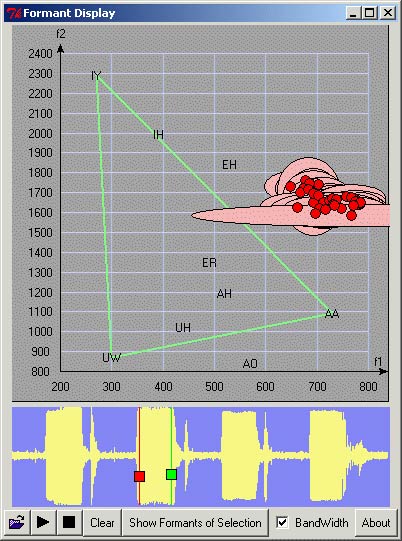
FormantDisplay allows a inspection of the first and second formants of a user selected segment of a waveform loaded from a sound file. This is accomplished by a single invokation of the formant method of the Sound object upon the selected portion. Below we examine a file contain the words "beet", "bat", "bird", and "boot".First we select the segment containing beet.
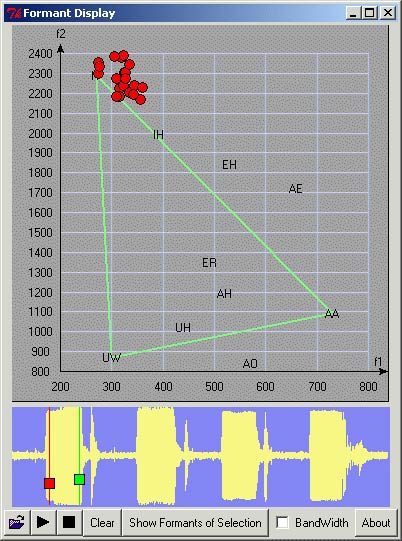
The red dots, mark the centroid of the formant distribution of that selection. A sound whose formant remains fairly localized, is called a vowel. Thus we are looking at the ee sound of beet. Next we select the segment called containing bat.

We are nowlooking at the a sound of bat. The second most important feature to consider in vowel recognition is the bandwidth. We display the bandwidth below for beet.
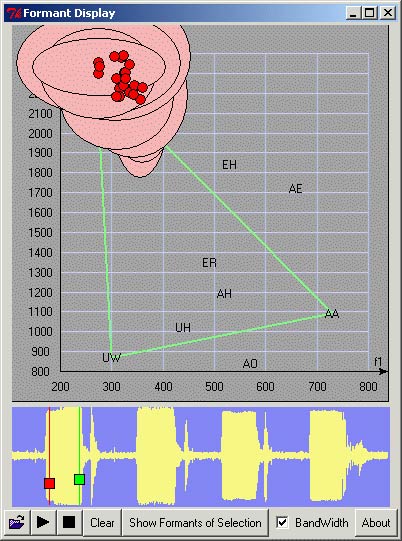
Here the pink oval regions represent the bandwidths. Their width and height represent the bandwidths of the first and second formants respectively. We placed the formant centers on top of all the bandwidths so as to give a better feel of how the formants of the sound are distributed.
We conclude with the bandwidth plot for "bat.